What we built.
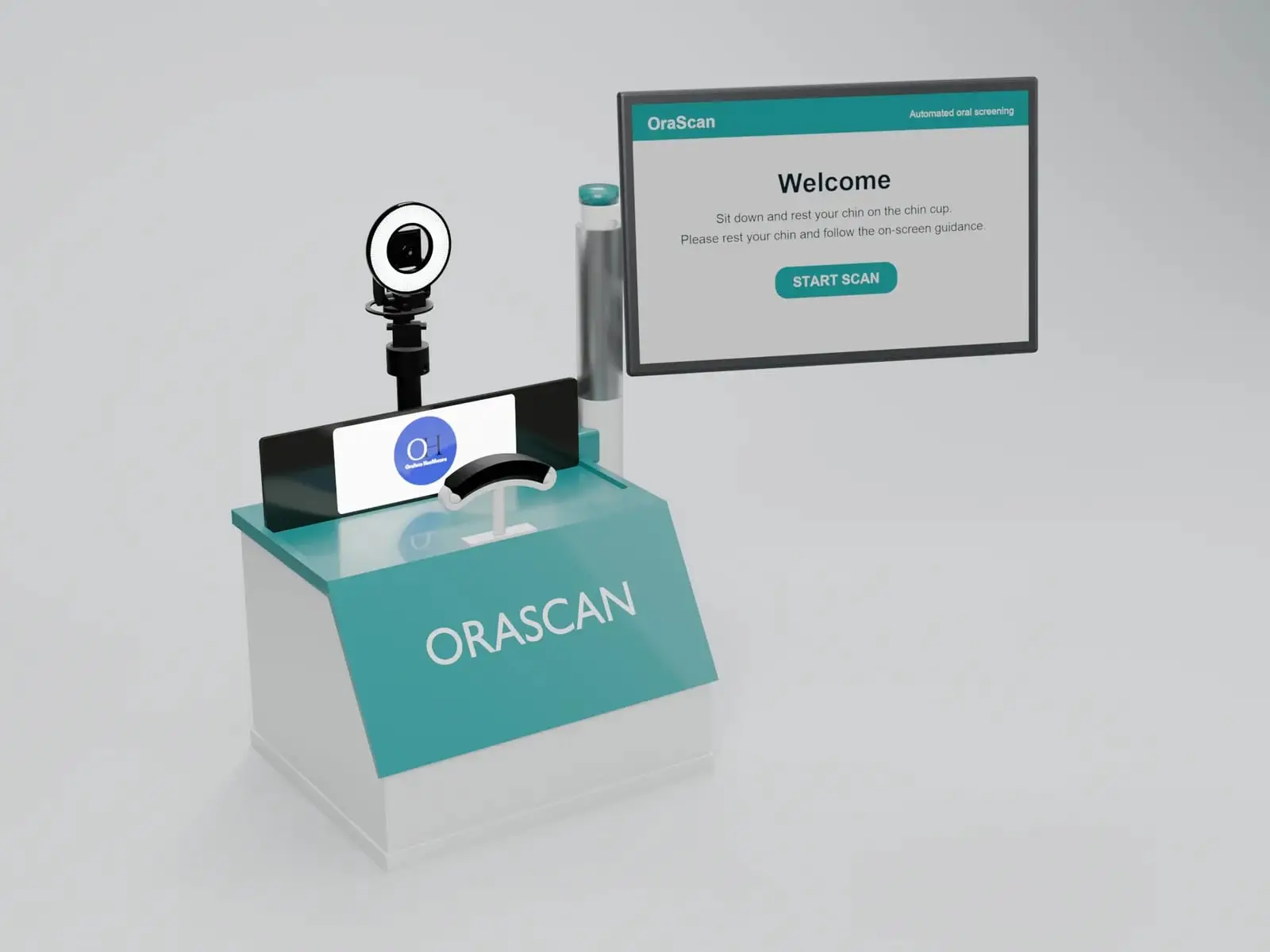
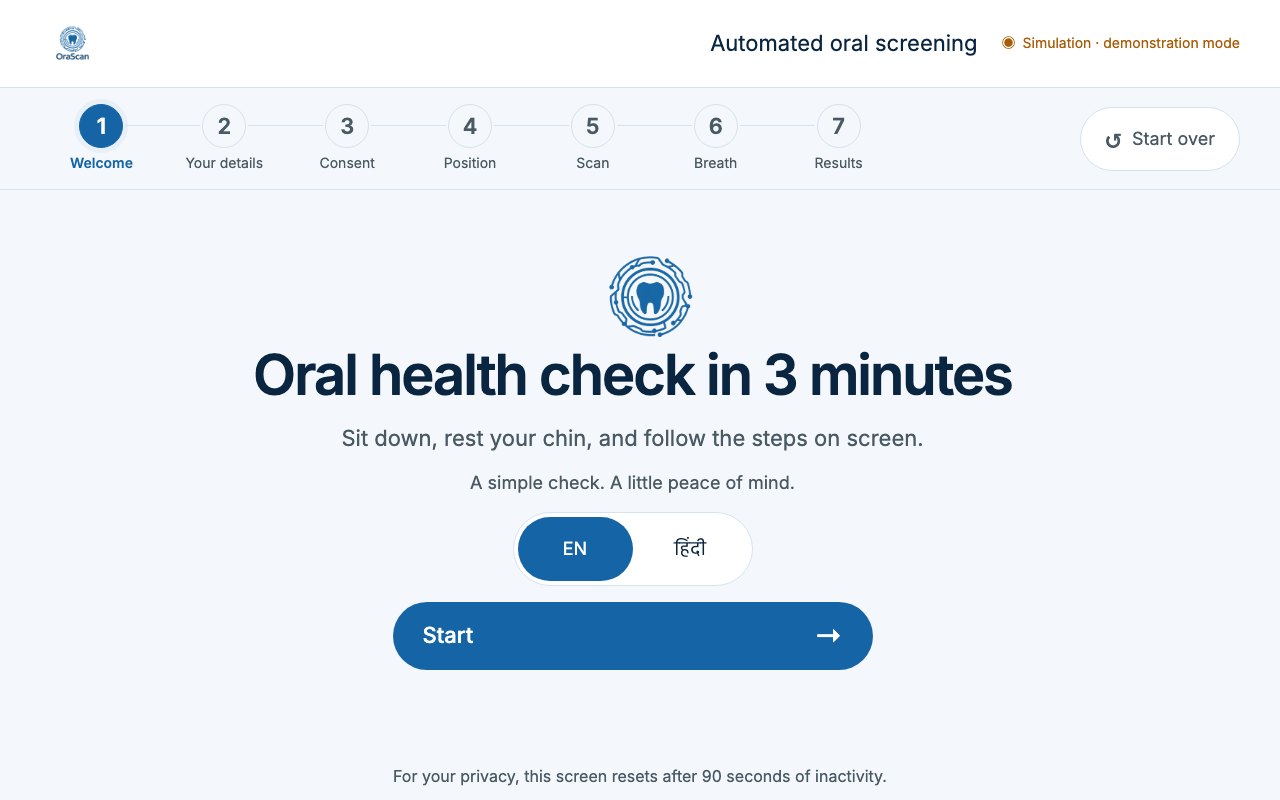
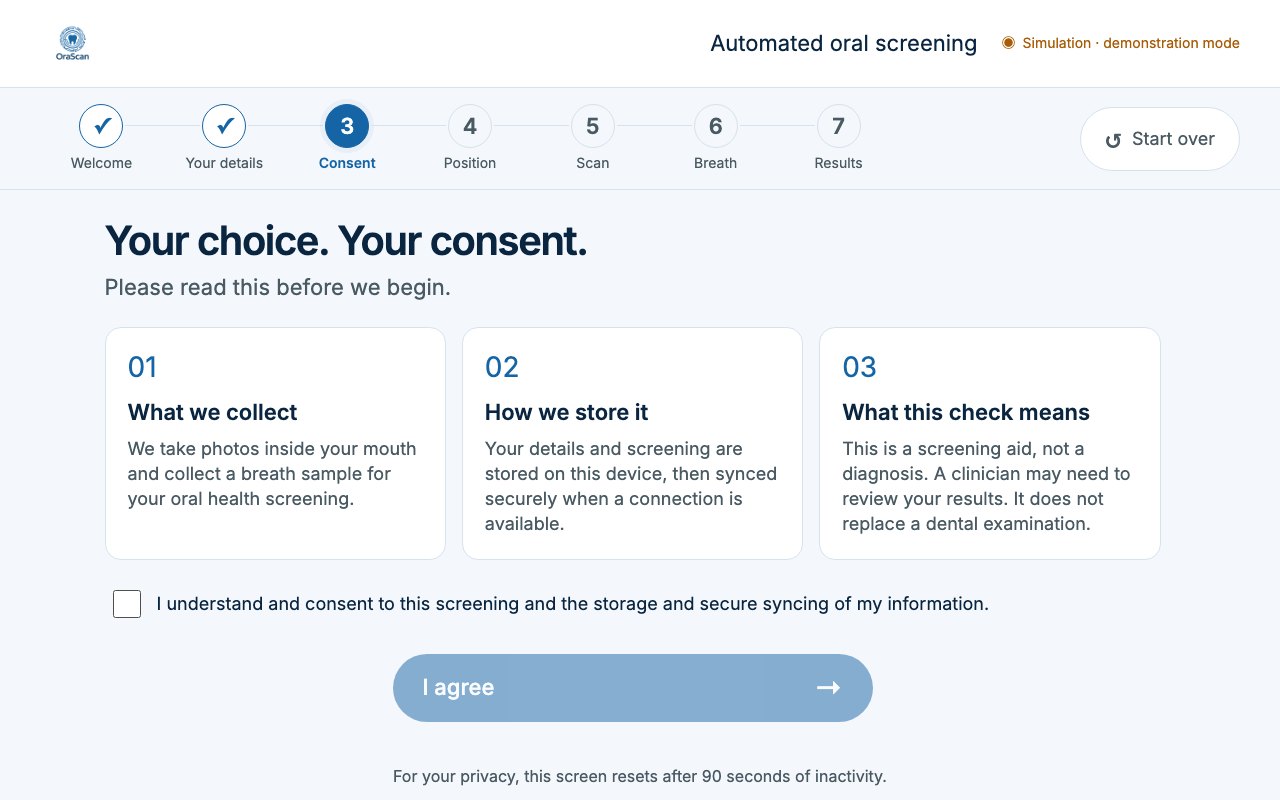
OraScan connects the patient-facing kiosk to the clinician review workspace. Patients move through check-in, consent, questions and guided capture with less staff hand-holding; clinicians then have the oral-health index, scan history, review flags, reports and follow-up controls in one place.
The problem
Oral-screening visits can split patient intake, capture, findings and clinical follow-up across separate staff steps and systems.
Who it is for
- Patient visitors
- Frontline clinic teams
- Oral-health clinicians
Where it stands.
One connected flow that guides a patient through kiosk capture, gives clinicians a structured review workspace and keeps the screening record ready for follow-up.
- Patient + clinician surfaces
- 2
- Disease classes
- 11
- Inference
- <200ms
What we did.
- Patient check-in and consent
- Guided oral-image capture
- On-device inference for clinician review
- Local session records and cloud sync
- Reports and follow-up
Selected product views
A closer look at OraScan
Curated stills from the product. Interactive access is shared only in guided demos.
Web app
04 viewsBrand identity
Logo, colour, type and voice.
The mark
A tooth outline with a breath waveform running through it says what the devices look at, and the ring of circuit traces says how: sensors and electronics, not a dental instrument. The blue-to-teal gradient keeps it in the family of clinical technology.
One mark and one identity cover the OraScan family, the screening kiosk and the OraScan H handheld; we built the products' interfaces on it.
Colour
Cobalt
#1F5BC4
The single accent
One accent for actions, selection and focus keeps a clinical tool calm and unambiguous.
Clinic Grey
#F4F6F9
Light ground
Light is the default because clinics are bright rooms.
Reading Room
#0E1116
Dark ground and image mat
Clinical photos always sit on a dark mat, as in an image-reading room, so colour judgements are not skewed.
Text
#0F1A2A
Text
A deep blue-black that pairs with cobalt and reads cleanly on both grounds.
Caution
#8A5300
Experimental notice
Amber is kept for one job: the reminder that a result is a screening indication, not a diagnosis.
Type
Inter
App and kiosk interface
A neutral screen face that stays clear on a phone or a touchscreen; bundled so it works offline.
Specimen shown in a system sans stand-in.
IBM Plex Sans
Dashboard
A technical, slightly engineered sans that suits a review tool for clinicians.
Specimen shown in a system sans stand-in.
IBM Plex Mono
Codes and readings
Participant codes and sensor readings stay aligned and unambiguous.
Specimen shown in a system mono stand-in.
Voice
Warm, second-person, short instructions for a patient alone at a kiosk, always framed as screening, never diagnosis.
- Warm
- Reassuring
- Instructional
- Careful
Do
- Give one instruction per screen
- Ask for consent plainly
- Say it is a screening aid
Don’t
- Use clinical jargon
- Rush the patient
- Call a result a diagnosis
In its own words
Oral health check in 3 minutes
Your choice. Your consent.
A first look at your oral health, not a diagnosis.
The kiosk's own product UI runs a related blue scheme: Scan Blue #1565A6 on a #F4F7FB screen with #0A2540 text, set in Inter, with IBM Plex Sans Devanagari for the Hindi flow.
3D & mechanical design
The hardware, in 3D.
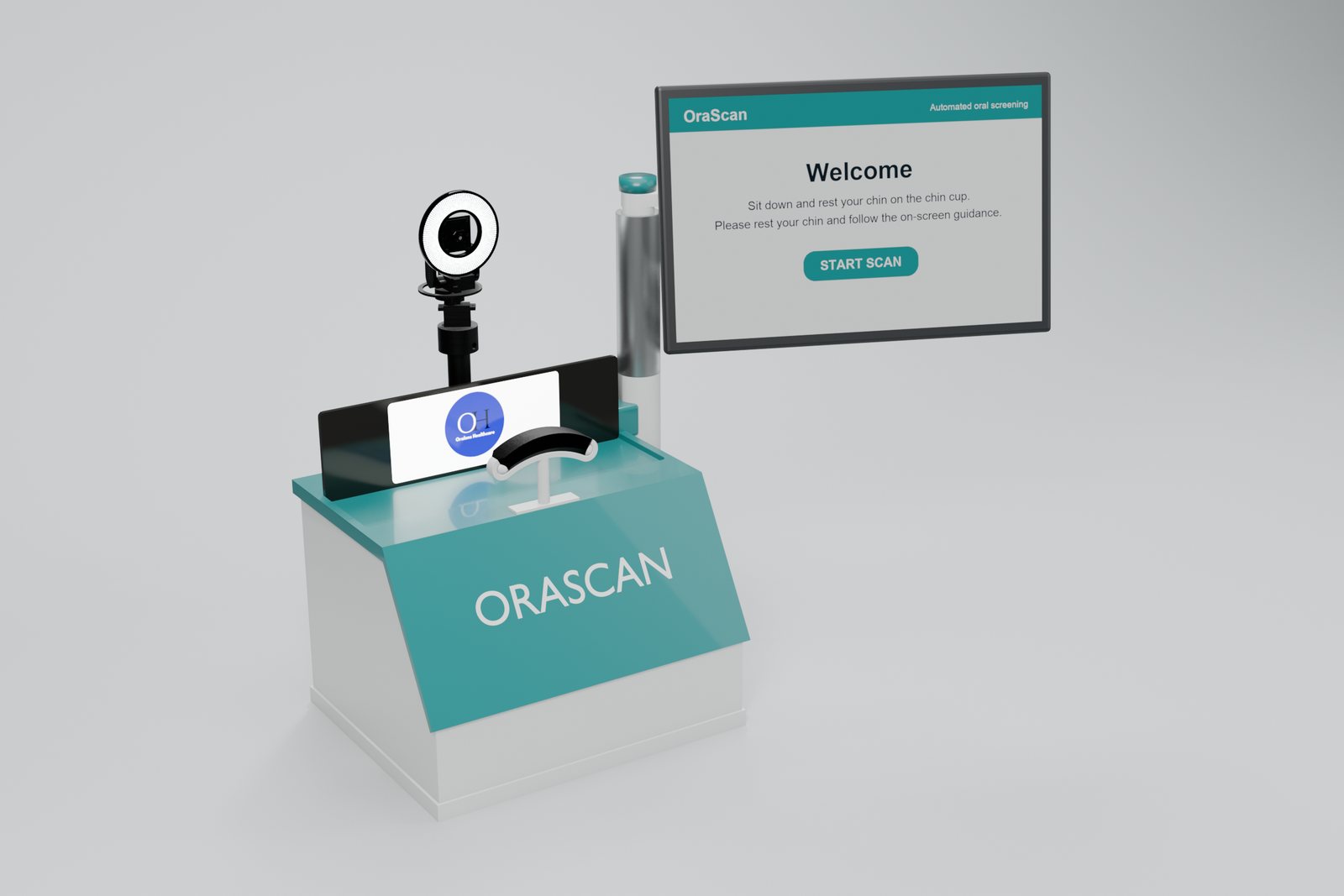
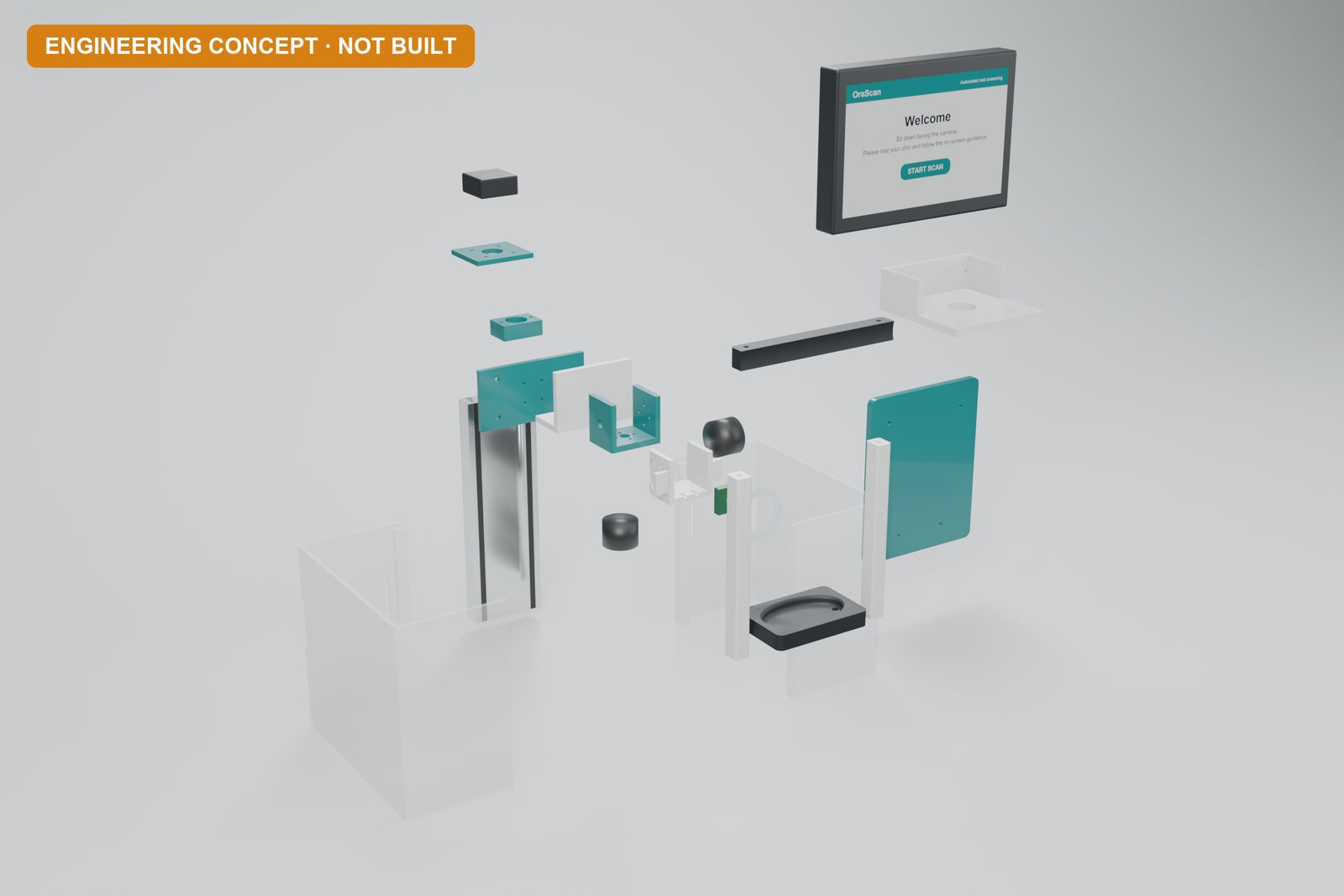 Concept, not built
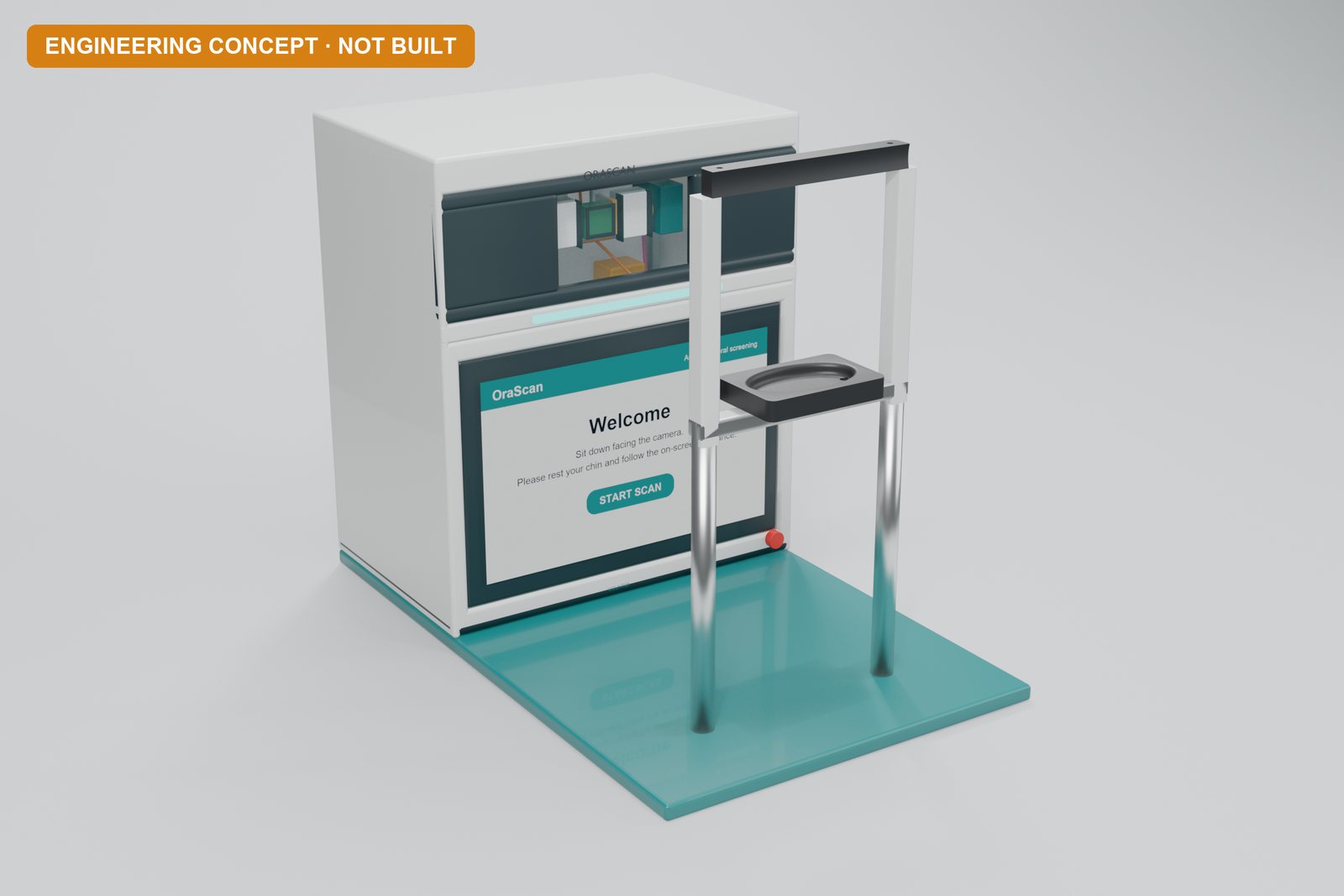 Concept, not built
Evidence and limitations
Evidence
Check-in, consent, guided capture and the clinician workspace run end to end on the Gen 4 build, and CDSCO test licences are being obtained. Screening accuracy has not been validated, and no clinical results are claimed.
Data and security
Built for Google Cloud in Mumbai, with a PostgreSQL database, backups and point-in-time recovery; Aadhaar numbers are stored encrypted. The kiosk does not start a scan until the patient, aged 18 or over, accepts the consent screen and the operator confirms it.
Building something like OraScan?
The same team designs, engineers and ships every part of a product, from the website to the systems behind it.